
Web-interface for mobile devices
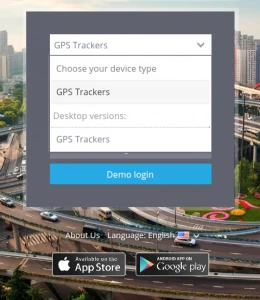
Along with desktop version there is light version of the Web-interface available, so you can access it from your gadgets, using mobile browsers.
In the mobile version you have the functions that are necessary for tracking:
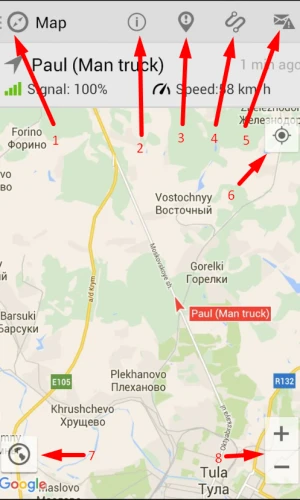
1. List of trackers
2. Tracker details
3. Events for the period
4. Tracks for the period
5. Notifications
6. Your position on a map
7. Map type
8. Map Scaling
To open all the trackers push
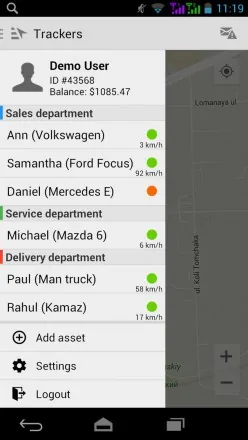
After choosing a tracker you can see its location on the map and the information about it at the top.
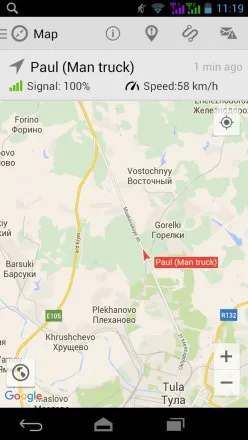
On the top of your screen in the information field about tracker you can see GPS/GSM signal, speed, etc.
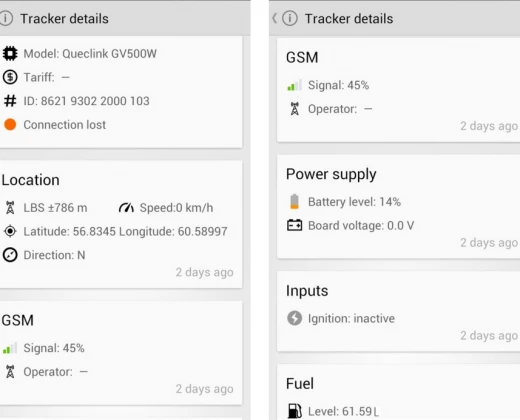
When you choose an object, it appears on the map automatically till you make another action. To return to the object choose it once again in the list.
Tracks for the period
To view the tracks you are to choose "Track history" and set the period (today, yesterday, week, current month, last month) and click "Show".
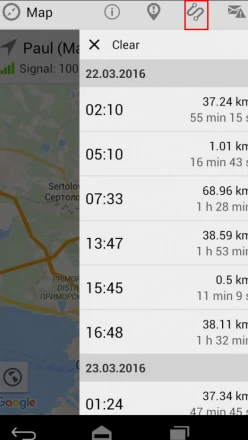
You will see the detailed track history: start time, duration, mileage. Click on the track in a list and you will be able to see the rout on the map.
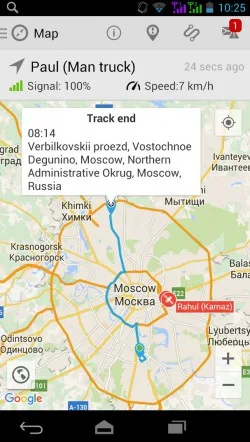
Events for the period
To view the events you choose "Events history" and set the period.
You can also see its time and location on a map.
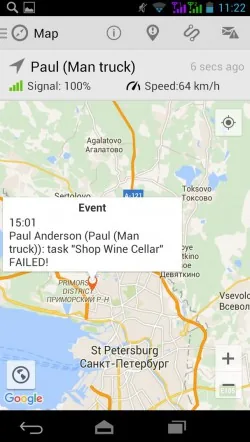
Work with a map
You can choose Map type in the bottom left corner of the app.
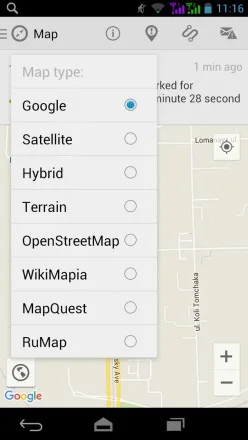
There are 8 map types Google, Satellite, Hybrid, Terrain, OpenStreetMap, WikiMapia, MapQuest, RuMap.
You can easily scale a map using tools + and - .