

Technovision GPS tracking system

Employee tags

Web interface / Tasks / Employee tags

Employee tags

What is "Tag"?

"Tag" is a label attached for the purpose of identification some information.

In our system tags help you to find desired places, employees, tasks or vehicles.You can create tags on your own according to your needs. One object may have several tags.

To find all the objects with one tag you need to type it into a search box and the system will display the information immediately.

How to add tags?

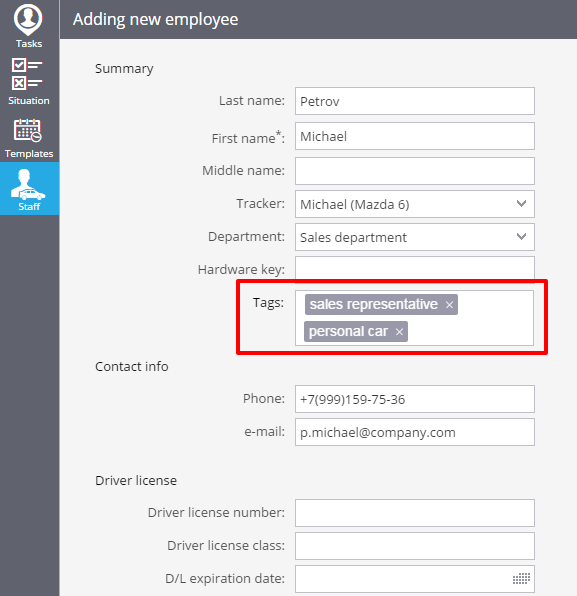
To add a tag you need to enetr keywords into a special box during the creating / editing employee personal card. Using tags you can easily find, for example, all the employees with private vehicles.
If you have more questions please contact our support team

Ready for the most innovative GPS tracking software?

Explore our products using demo access, or talk to our live sales team. A full-featured 30-day trial is available within minutes.

Live demo  Talk to sales

Contact Us

If you're considering GPS tracking platform, or just want more information, we're happy to answer all your questions and get you set up. Simply send us an email or for immediate assistance, call us.

Tel
+961.1.694036/7
Tel / Fax
+961.1.692149
Mob
+961.76.454343
Email
sales@technovisionlb.com
Office
Sed El-Bauchrieh, Beirut, Lebanon