
Technovision GPS tracking system

Track printing

Web interface / Monitoring / Tracks History / Track printing

Track printing

Besides the possibility to save your tracks as KML-files, you may print them on a map. Printed route will be a great suppliment to any report (about tracks, fuel consumption etc.). It is very useful for any kind of enterprise that works with delivering, cargo and passenger transportation or mobile staff.

You may print routes with the help of a special tool on the informational panel. How to choose a track and how to show it on the map you may read here.

To print a route click the print sign:
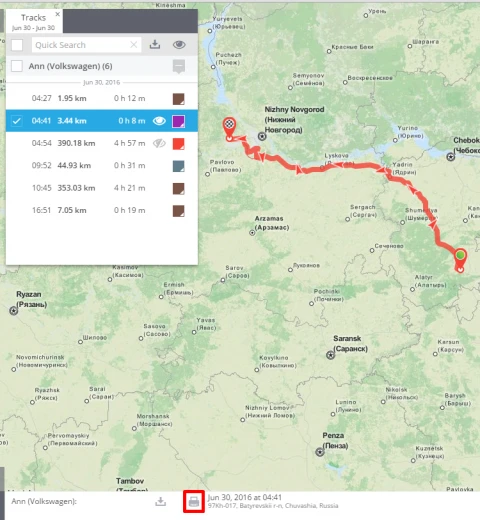
Then you will see print settings of your browser, where you will be able to choose a printer and set it up.

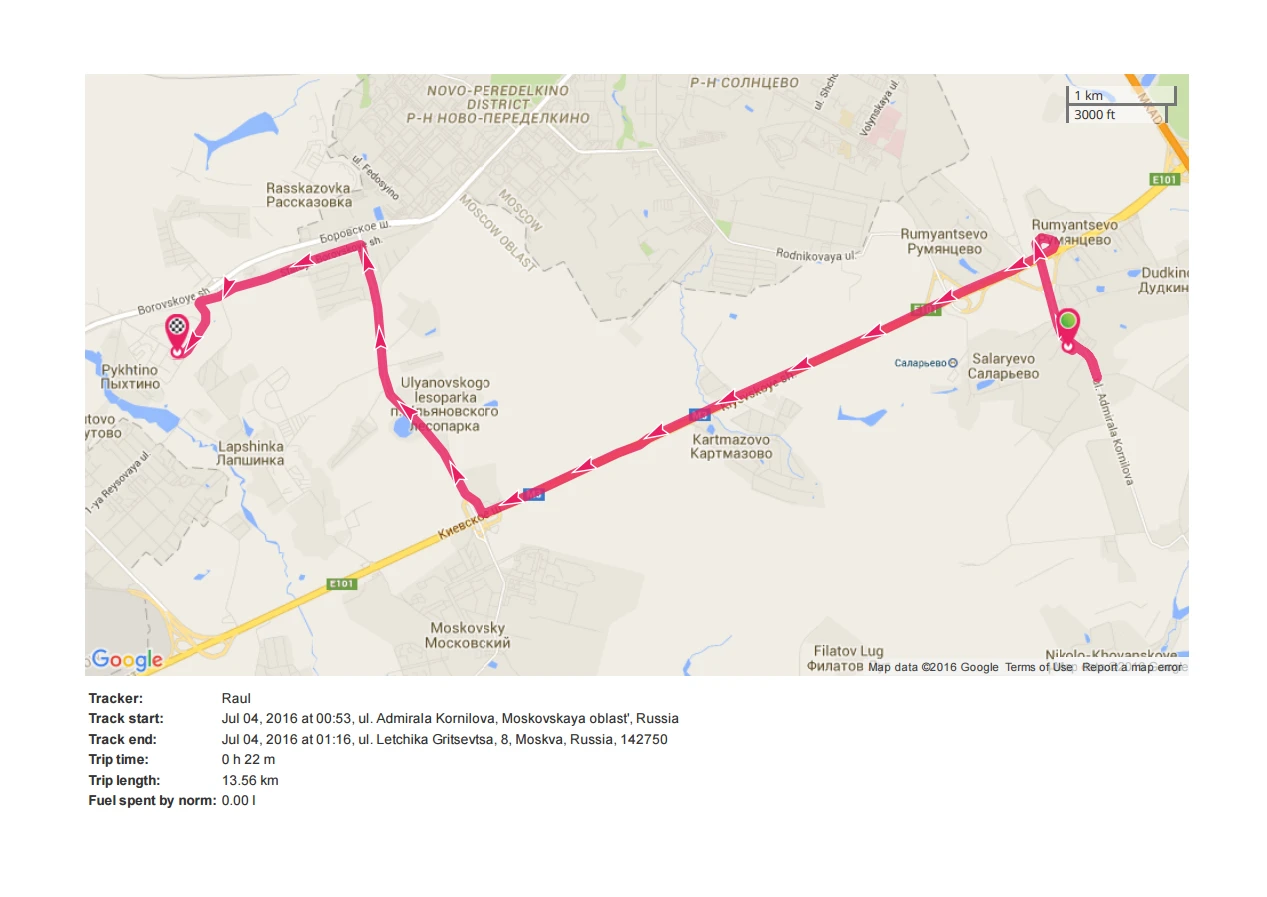
The printed document will contain the chosen track and short information about it.
If you have more questions please contact our support team

Ready for the most innovative GPS tracking software?

Explore our products using demo access, or talk to our live sales team. A full-featured 30-day trial is available within minutes.

Live demo  Talk to sales

Contact Us

If you're considering GPS tracking platform, or just want more information, we're happy to answer all your questions and get you set up. Simply send us an email or for immediate assistance, call us.

Tel
+961.1.694036/7
Tel / Fax
+961.1.692149
Mob
+961.76.454343
Email
sales@technovisionlb.com
Office
Sed El-Bauchrieh, Beirut, Lebanon