
Time Machine
Time Machine is a tool which allows you to playback the history of movement of your assets for any chosen date - as though you travel in the past.
How to use Time Machine
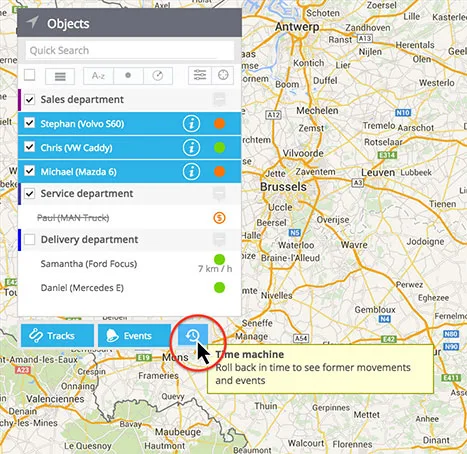
1. Select the assets from the objects list. You can take just one or select multiple.
2. Click Time Machine button below the list. It is placed next to Tracks and Events buttons.
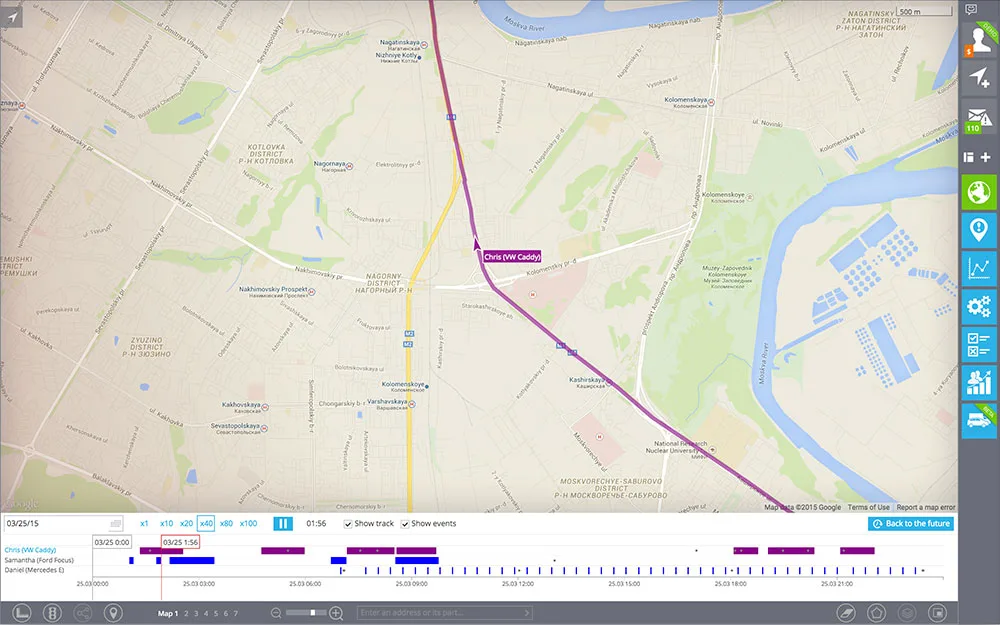
In the bottom of screen you will see the panel of the tool where your assets will be listed.
3. Select the date you want to playback. Also you can set various options like playback speed, show tracks and events on the map, etc.

4. Click Play button. You will see animated assets movement, while the cursor in the bottom will advise you the time of the day.
5. To exit from the tool click Back to the future button which is located in the right top corner of the bottom panel.