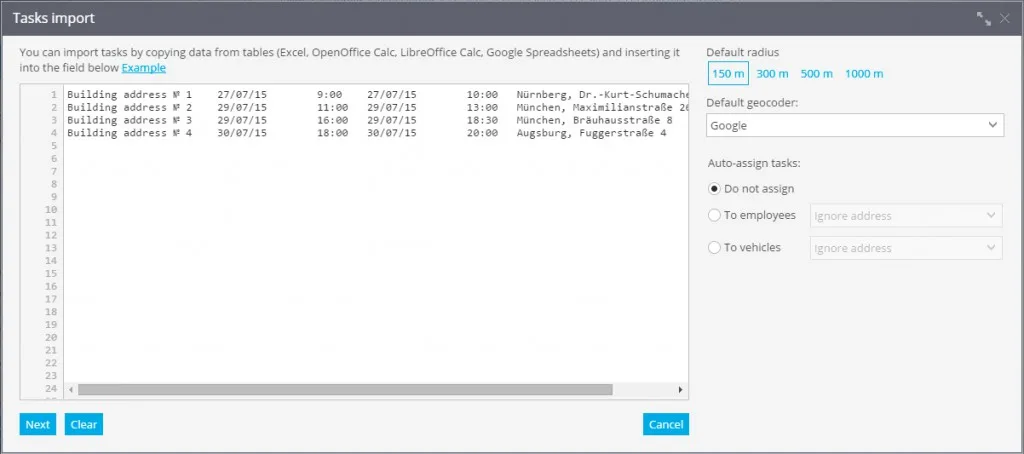

Tasks import from text
When you have a lot of employees and / or you have a lot of tasks for them to do, it is more convinient to import task lists rather then creating and assigning them manually. Usually in this case tasks are loaded from external systems like 1C or other CRMs.
Besides usage of programming interface (API) for developers there's an easy way of import - copy from a spreadsheet, for example, Excel, OpenOffice Calc, LibreOffice Calc, Google Spreadsheet and others.
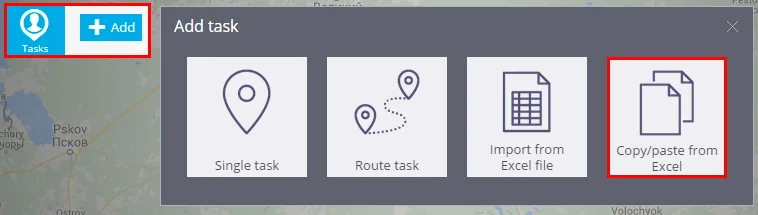
To start importing from a spreadsheet, click Add button and choose "Copy/paste from Excel":
You are going to see the "Tasks import" window that will contain a big field where you can simply paste via clipboard (copy-paste) tasks from an external table.